
Type Chicken Road app into a search bar and you will get dozens of pages promising a quick install, a free file or a special mobile edition. Most of them skip one awkward detail: InOut Games, the studio behind the crossing game, does not offer it as a standalone download in the big app stores. Game databases describe the title as an HTML5 and JavaScript build, which is why it opens inside a browser window on almost any modern phone.
This page separates the real options from the risky ones. We look at what you actually find in the stores, why loose installer files deserve suspicion, how to pin a browser shortcut to your home screen and what the rules that took effect in May 2026 mean for anyone holding a phone in Mumbai, Pune or Kochi.
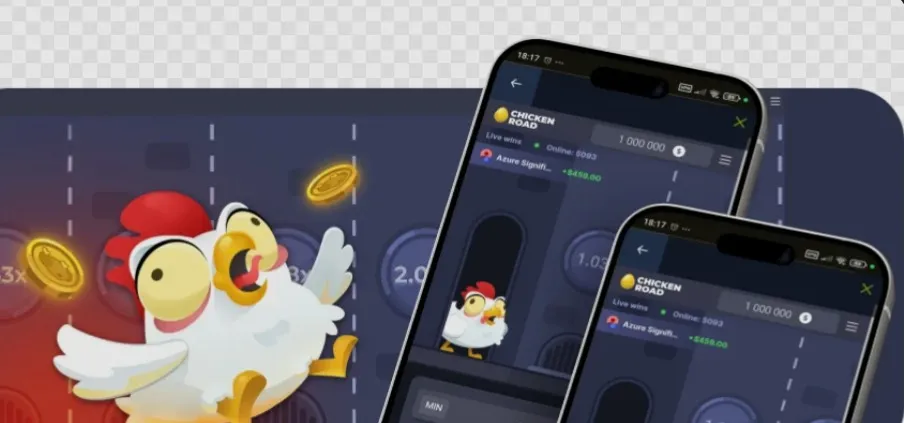
Is There an Official Chicken Road App?
Not in the sense most people mean. The developer’s catalogue page for the game offers two buttons, one for a demo and one for real play, and nothing else to tap. There is no badge for Google Play, no badge for Apple and no installer to save. Platforms that carry the title load it from the provider’s servers into their own website or wrapper, so the chicken you see on a phone is the same web build you would see on a laptop.
That also explains why so-called mobile editions on random sites look slightly off: odd fonts, a missing studio logo on the loading screen or menus that do not match the original. Each of these is a hint that you are looking at a copy rather than the real thing.
Why the Big Stores Stay Empty
Both major stores treat real-money gambling as a restricted category. Google Play accepts such apps only in selected countries, only from licensed or government operators and only after a separate application process, with an adults-only rating and responsible gambling notices. Apple asks for licences in every location where an app is used and for geo-restriction to those places. Those frameworks are written for operators, not for studios that supply games to them, which helps explain why the InOut title has no listing of its own.
Store Listings That Borrow the Name
Open Google Play - many Indian users still call it the Play Market - and search for the game. You will see several results called Chicken Road or Chicken Road 2, published by small developers that have no connection with InOut Games. Typing Chicken Road play market or Chicken Road app store into a search engine leads to the same mix. Some are harmless arcade games where a bird hops across traffic, while others push in-app purchases or hint that you can earn cash.
Before you tap Install on any store result, spend a minute on the listing itself and check:
• the developer field, which for the original game would have to read InOut Games and never does
• the category, because a casual arcade label tells you this is a different game with a borrowed title
• the note about in-app purchases and the price range of the items on sale
• recent reviews that mention frozen balances, failed withdrawals or promises of real earnings
• the age rating and the list of permissions the app requests on your phone
A clone from the store is not automatically dangerous, but it is not the game this page is about. If its description talks about real cash prizes, remove it: in India no app may now offer or promote money games, so a store title that claims to pay out is either breaking that rule or simply lying.
The Truth About Chicken Road APK Files
An APK is the install package for an Android program. When a website offers a Chicken Road apk or a ChickenRoad apk as a free download, the file can contain anything its uploader wanted, because no store review stands between that site and your phone. Android flags this on purpose: to install such a file you must allow your browser or file manager to install unknown apps, a switch that stays on until you turn it off again.
What a Sideloaded File Can Do
Once installed, a rogue package can read notifications, capture one-time passwords from SMS, draw fake payment screens over your banking app or quietly subscribe you to paid services. Size is a clue as well. A web game needs no hefty installer, so a big package is usually carrying something else, such as a full copy of a betting site bundled with tracking code.
If You Already Installed One
Uninstall it from Settings, then revoke the install unknown apps permission for the browser you used. Run a Google Play Protect scan, change any passwords you typed while the file was on the phone and watch your bank and UPI statements for a few weeks. If money has already gone, call the national cyber fraud helpline 1930 or file a report at cybercrime.gov.in.
Turning Your Browser Into an App-Like Shortcut
What most people want from a Chicken Road android or Chicken Road ios install is a tap-and-go icon. The browser can give you that without any file at all. Chrome on Android and Safari on iPhone both let you pin a web page to the home screen, where it sits next to your other icons and opens in a window of its own.
Here is the order that works on most phones:
1. Open the developer’s own game page in Chrome or Safari and wait until the board finishes loading.
2. On Android tap the three-dot menu; on an iPhone or iPad tap the Share icon at the bottom of the screen.
3. Choose Add to Home screen (some Android versions call it Install app) and keep or edit the name.
4. Confirm, go back to the home screen and check that the new icon opens the address you saved.
5. Delete any older icon or bookmark that points to an unfamiliar site with a similar name.
The shortcut weighs almost nothing, asks for no permissions and never needs a manual update, because every launch pulls the current version from the server. If the page ever moves to a new address, you remove the icon and pin the new one in a few seconds.

Built-In Limits Worth Switching On
A home screen icon makes the game easier to reach, so it is worth adding a brake as well. Android’s Digital Wellbeing and the Screen Time menu on iPhone can cap the minutes you spend on a single app or website each day. Mute browser notifications for gaming sites too, so nothing nudges you back after you have decided to stop.
Comparing the Ways to Open the Game
Each route to the game on a phone carries a different level of risk. The table puts the four most common ones side by side.
| Route | What you actually get | Main risk | Our view |
|---|---|---|---|
| Mobile browser | The provider’s HTML5 build, updated automatically | Low, as long as the address is genuine | Safest option |
| Home screen shortcut | The same web build behind its own icon | A shortcut saved from a copycat site | Fine once the page is checked |
| Store listing with the name | A different arcade title by another developer | In-app purchases and misleading cash claims | Not the original game |
| APK from a website | An unchecked package of unknown origin | Malware, SMS theft and fake payment screens | Avoid completely |
The pattern is clear: the further you move from the browser, the less you know about the code running on your phone and the more you rely on a stranger’s honesty.
What India’s 2025 Law Means for Mobile Play
The Promotion and Regulation of Online Gaming Act, 2025 and the rules issued under it took effect on 1 May 2026. Besides banning money games, their promotion and the payments behind them, the rules require safety features such as age checks, time limits and parental controls in the games that remain legal. In practice no lawful Chicken Road download for real stakes exists in India, and any app that asks you to deposit is operating outside the law.
Chicken Road App Pros and Cons
Here is how browser-based mobile access compares with the promises made by sites that push a dedicated install.
| Pros | Cons |
|---|---|
| Nothing to install: the browser version loads in seconds and leaves no extra files, permissions or background services on the phone. | There is no genuine ChickenRoad app on Google Play or in Apple’s App Store, which leaves plenty of room for clones and copycat listings. |
| A home screen shortcut gives the quick access of an icon while every launch still pulls the latest build from the official server. | Websites that push installer files are hard to tell apart from real sources, and one wrong tap can expose your SMS and banking data. |
| Android phones, iPhones and tablets all run the same HTML5 version, so the board and the controls look identical on every screen. |
Our Verdict on Installing the Game
You do not need to install anything to see this game on a phone. It is a web build, the stores hold only look-alikes, and the sideloading route trades a little convenience for serious security risks. A browser tab or a home screen shortcut to the developer’s page covers everything a so-called Chicken Road app would do.
Keep the phone clean, keep sessions short and remember the legal picture: real-money play is banned in India, the game is meant for adults aged 18 and over, and no file or listing changes either of those facts.